
Caravan SandWitch on Mobile: Controls, Graphics and Port Performance
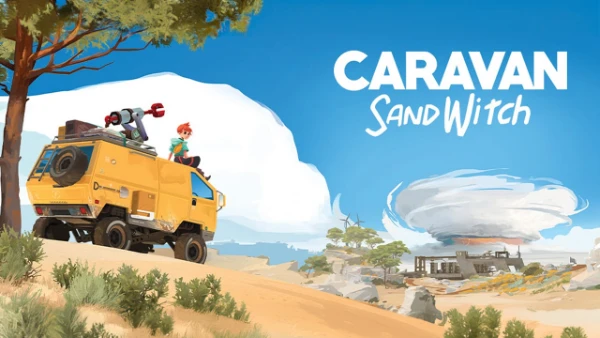
Caravan SandWitch arrived on Android and iOS in 2026, bringing Studio Plane Toast’s exploration adventure to smartphones and tablets. Originally released for PC, PlayStation 5 and Nintendo Switch in September 2024, the game follows Sauge as she searches for her missing sister across the environmentally damaged planet Cigalo. The mobile edition preserves its peaceful approach to exploration, with no combat, character deaths or time limits. However, adapting a third-person adventure to touchscreens presents challenges, particularly when driving, adjusting the camera and navigating complicated environments. Several updates have already addressed these issues, making the mobile version noticeably different from its initial release.
Touchscreen Controls and Gameplay on Android and iOS
The mobile version of Caravan SandWitch uses virtual touchscreen controls for character movement, camera rotation and interaction with objects. Players guide Sauge through abandoned settlements, rocky landscapes and industrial ruins while collecting information about her sister’s disappearance. The basic movement system is familiar to anyone who has played a third-person adventure on a smartphone. Nevertheless, exploring narrow passages or navigating elevated structures requires considerably more precision than walking across open terrain. The absence of combat reduces the pressure to react quickly, but accurate positioning remains important when reaching specific locations or approaching interactive objects.
Driving the van introduces another set of control requirements. The vehicle serves as the main means of travelling between Cigalo’s settlements and remote exploration areas. It can also be upgraded as the story progresses, opening routes that were previously inaccessible. On a touchscreen, players need to coordinate steering with camera adjustments while observing the terrain ahead. This becomes more demanding on winding roads or when manoeuvring near obstacles. The relatively relaxed driving mechanics help, since there are no races or strict delivery deadlines. Even so, the difference between using physical controls and touchscreen inputs becomes particularly apparent during longer journeys.
Early versions of the mobile port attracted criticism for awkward camera behaviour and inconsistent movement responsiveness. Some App Store reviews described difficulty turning precisely, keeping the camera pointed in the intended direction and selecting interface elements. The developers addressed several of these problems in version 1.0.8, released in September 2026. Camera rotation was changed so that movement stops when the player stops dragging a finger across the screen. The update also adjusted movement acceleration, improved directional changes and reduced delays in automatic camera positioning. These changes directly targeted problems affecting exploration rather than introducing new gameplay mechanics.
Camera Adjustments, Sprint Controls and Controller Support
Camera control received particularly detailed attention in the September update. The developers replaced behaviour that previously resembled a virtual joystick with direct swipe-based rotation. Faster finger movements now produce stronger camera rotation, while slower movements allow more careful adjustments. The touchscreen movement area was reduced to provide additional space for controlling the view. Automatic camera repositioning was also made quicker, with its activation delay reduced from five seconds to one second. These adjustments are especially relevant when Sauge moves along slopes, enters confined spaces or approaches structures that require careful positioning.
Sprinting offers more flexibility than it did at launch. Players can use the movement joystick to control running or select a dedicated sprint button through the accessibility settings. A subsequent update also introduced an automatic sprint feature that allows Sauge to continue running after the player releases the sprint button. Movement can then be directed by rotating the camera, while tapping the left side of the screen disables automatic running. This option is useful when travelling across large open areas, as it reduces the need to maintain constant pressure on the display. The movement sensitivity setting also influences sprint activation, allowing players to adjust how the controls respond.
Caravan SandWitch on mobile also supports compatible physical controllers, providing an alternative to touchscreen input. This is particularly helpful when driving the van, navigating elevated structures or exploring locations where small directional adjustments matter. A controller leaves more of the screen unobstructed and separates movement from camera control through physical sticks. Touch controls remain practical for casual exploration and conversations, especially on tablets with larger displays. Players who frequently struggle with touchscreen camera movement may find a Bluetooth controller more comfortable during extended sessions. Controller compatibility should still be checked against the specific Android or Apple device being used.
Graphics and Visual Quality of the Mobile Port
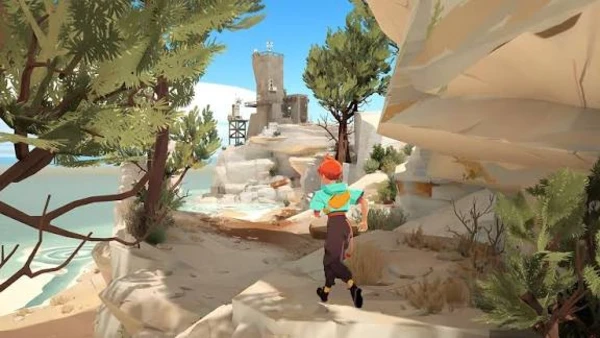
Caravan SandWitch has a distinctive visual identity built around colourful landscapes, stylised character models and a science-fiction interpretation of southern France. Cigalo combines sandy plains, abandoned industrial structures, scattered vegetation and settlements inhabited by humans, robots and the Reinetos. Rather than pursuing photorealistic graphics, the game relies on strong colours, clearly defined shapes and atmospheric lighting. This artistic direction is well suited to mobile displays because important environmental features remain recognisable without extremely detailed textures. The contrast between warm desert colours and surviving greenery also supports the game’s central themes of environmental damage and community resilience.
The environment plays an essential role in exploration. Players regularly move between open landscapes, ruined facilities and smaller interior locations, looking for routes that become accessible after acquiring new equipment or upgrading the van. Environmental objects help distinguish one area from another, while the changing landscape provides visual clues about Cigalo’s history. The mobile edition retains the same fundamental world design and narrative exploration experience as the original release. However, the quality of its presentation depends on the device and selected graphics settings. A small smartphone display may make distant details harder to distinguish, particularly when navigating areas containing numerous objects or overlapping structures.
The game’s stylised graphics help preserve its atmosphere on portable hardware, but visual compromises may still occur when performance settings are adjusted. Lower rendering resolution can soften distant scenery, reduce the clarity of smaller objects and make environmental edges appear less defined. These changes are more noticeable on large tablets or high-resolution smartphone screens than on compact displays. By contrast, the game’s broad colour palette, distinctive architecture and relatively simple character silhouettes remain recognisable at reduced resolution. This makes Caravan SandWitch more adaptable to different screen sizes than games whose presentation depends heavily on fine texture detail.
Resolution Scaling, Anti-Aliasing and Interface Readability
The September 2026 mobile update introduced dynamic resolution, a setting designed to balance visual quality against performance. When enabled, the game automatically adjusts its rendering resolution to help maintain a steadier frame rate. This means image sharpness can vary depending on the complexity of the scene. Driving through an open landscape may place different demands on the device than entering an area filled with structures, vegetation and environmental objects. Dynamic resolution is enabled by default according to the update notes. Players who prefer manual control can disable it and use the Resolution Scale option to reduce the rendering resolution themselves.
Another update added an Anti-aliasing Quality option to the Video settings. Anti-aliasing helps reduce the jagged appearance of diagonal lines and object edges, which can be noticeable around buildings, vehicle outlines and distant scenery. Increasing its quality may improve visual smoothness, although the performance impact depends on the device. On less powerful hardware, prioritising a stable frame rate and an adequate rendering resolution may be more useful than maximising edge smoothing. Players should compare settings in an outdoor area with several visible objects, since changes can be harder to judge inside simpler environments. The most suitable combination is the one that preserves readable scenery without introducing distracting slowdowns.
Interface readability has also received attention. Mobile screens must accommodate dialogue boxes, interaction prompts, menus and virtual controls within a limited space. Earlier versions drew complaints about buttons that were difficult to select accurately, particularly during conversations or when interacting with objects. Later changes added a separate confirmation button for dialogue choices and introduced a UI Scale option in the accessibility settings. Interface scaling was also improved so that elements could resize more appropriately for different devices. These changes are especially useful on smaller smartphones, where poorly positioned controls can interfere with gameplay. On tablets, the larger display generally provides more room for environmental details and navigation controls.
Mobile Port Performance, Compatibility and Updates in 2026
Performance is one of the main considerations when choosing between the mobile edition of Caravan SandWitch and its console or PC counterparts. Although the game does not feature demanding combat sequences, it contains an explorable three-dimensional world with vehicle movement, environmental objects and changing scenery. These elements can create different workloads as players travel between locations. Performance therefore depends on the device’s processor, graphics capabilities, available memory and temperature. The same settings may behave differently on a recent premium smartphone and an older mid-range model. There is no single frame-rate figure that accurately represents performance across every supported Android and iOS device.
Version 1.0.8 introduced an FPS Limit setting, with the default limit set to 30 frames per second on lower-performance devices. The update also included optimisation work alongside the dynamic resolution feature. A 30 FPS target provides a practical starting point for hardware that struggles to maintain higher refresh rates, particularly during vehicle travel or in visually complicated areas. More powerful devices may benefit from different settings where supported, but a higher frame-rate limit does not guarantee that the game will consistently reach it. For exploration-focused gameplay, stable frame delivery is often more comfortable than frequent fluctuations between higher and lower frame rates.
Several other updates released during 2026 concentrated on stability and general improvements. Version 1.0.3 included performance and stability changes, while version 1.0.4 continued addressing bugs and added Mac compatibility. Later updates targeted cloud saving, interface behaviour and movement problems. These changes are relevant because the original mobile release was not entirely free from technical difficulties. Some early App Store reviews mentioned crashes, inconsistent camera responses and lost progress. The release notes confirm that the developers have worked on these areas, although they do not establish that every problem has been eliminated on every device. Installing the latest available version is advisable before investigating persistent technical issues.
Device Requirements, Graphics Settings and Mobile Performance Tips
Caravan SandWitch is officially available for Android through Google Play and for iPhone and iPad through Apple’s App Store. The Apple listing specifies iOS 18.0 or later for iPhone and iPadOS 18.0 or later for iPad. Its listed download size is approximately 901 MB, although additional storage may be needed for installation and saved data. The Android version is distributed through Google Play, where compatibility is determined for individual devices. Players should check the store listing before purchasing because the availability of the game does not mean that every Android handset meets its requirements. Incompatible devices may be excluded from installation through the store.
For devices experiencing slowdowns, the first adjustment worth trying is the frame-rate limit. Selecting 30 FPS can reduce the demand for consistently high rendering performance, particularly on older hardware. Keeping dynamic resolution enabled allows the game to adjust image quality automatically when necessary. If performance remains inconsistent, disabling dynamic resolution and reducing the manual Resolution Scale setting offers another approach. Anti-aliasing quality can also be lowered when graphical settings are available. These changes should be tested separately so that their effect is easier to identify. Closing demanding background applications and avoiding excessive device heat may also help maintain more consistent performance during long sessions.
The mobile edition uses different purchasing arrangements depending on the store. On iOS, players can begin the adventure for free and unlock the complete game through a single in-app purchase. The UK App Store lists the full-game unlock at £6.99, although regional pricing can differ. On Android, Google Play lists Caravan SandWitch as a paid download rather than using the same free-to-start arrangement. The complete experience remains focused on narrative exploration, helping Cigalo’s inhabitants and gradually uncovering the mystery surrounding Sauge’s sister. With the control and graphics improvements introduced throughout 2026, the mobile release offers a more refined way to experience the adventure than it did at launch, particularly for players willing to adjust the settings to suit their devices.